
Can More Than One Person Control Your Smart Shades? How to Share RYSE Access With Your Household

You set up the shades. You built the morning routine. And now your partner is standing in the living room at 7 a.m. asking you to open the blinds from the other room.
That is a solvable problem. RYSE smart shades are not single-user devices. Everyone in your household can have full control from their own phone, and there is more than one way to make that happen.
The Short Answer
Yes, more than one person can control your RYSE shades. There are two ways to set it up.
- With a SmartBridge ($49.99), you share access once. You invite each person by email in the RYSE app, and they immediately see every SmartShade paired to that bridge and can control all of them. This is by far the most convenient way to share.
- Without a SmartBridge, you pair each device to each phone individually. Everyone in the house can still control the shades from their own phone. You just have to repeat the pairing process for every device on every phone.
Both routes get your household to the same place. The difference is how much setup you do, and what else you get along the way. The SmartBridge is also the Wi-Fi hub for your RYSE setup, and it is what unlocks voice control through Alexa, Google Home, and Apple HomeKit, plus remote access and scheduling.
Two Ways to Share, Side by Side
RYSE gives you several ways to control a shade, and they are not all equally shareable:
| Control method | Works for multiple people? |
|---|---|
| On-device buttons (UP, DOWN, STOP on the SmartShade itself) | Yes, anyone standing at the window |
| RYSE app over Bluetooth, no SmartBridge | Yes, but every phone has to be paired to every device separately. Bluetooth range only, groups limited to 4 devices |
| RYSE app with SmartBridge | Yes, share once by email for full shared access, groups of up to 10 devices, schedules including sunrise and sunset |
| Alexa, Google Home, HomeKit, Control4, IFTTT (requires SmartBridge) | Yes, through your smart home platform |
You can read the full breakdown of control methods in the RYSE help center article on how to control your SmartShades.
Option 1: Share Your SmartBridge (The Easy Way)
Before you start, make sure your SmartBridge is already set up in the RYSE app and your SmartShades are paired to it.
Step 1: Open your SmartBridge settings
From the RYSE app dashboard, tap the gear icon on the right side of the screen.
Step 2: Select "Users"
This is where every person with access to that bridge is listed.
Step 3: Tap the + icon
That opens the invite screen.
Step 4: Enter their email address and tap "Invite"
Use the email they will sign into the RYSE app with.
Step 5: Confirm
You will see a confirmation that the user has been added, and they will get an email letting them know they now have access to the SmartBridge. Full instructions with screenshots live in the RYSE help center guide on sharing access with other users.
One invite covers every device on that bridge. Add a new shade later and everyone you have already invited sees it automatically.
Three Things Worth Knowing First
- Everyone has equal access. There are no admin and guest tiers. An invited user can rename your shades, create new Routines, and even remove you from the SmartBridge. Only share with people you trust.
- Multiple bridges mean multiple invites. If you have more than one SmartBridge in the house, you have to repeat the steps for each bridge and each person.
Option 2: Pair Each Device to Each Phone (No SmartBridge)
If you do not have a SmartBridge, you are not locked out of household control. The RYSE app talks to each SmartShade and SmartCurtain directly over Bluetooth, and a device can be paired to more than one phone.
The process is the same one you followed the first time, repeated per phone:
- Install the RYSE app on the second phone.
- Stand within Bluetooth range of the device you want to add.
- Temporarily toggle off Bluetooth on the first phone the devices paired with.
- Pair the SmartShade or SmartCurtain with the second phone.
- Repeat for every other SmartShade or SmartCurtain in the house.
- Repeat the whole sequence on every additional phone.
Everyone ends up with working control. The tradeoffs are the setup time and what Bluetooth cannot do: no control from outside the house, no scheduling with sunrise and sunset, no voice assistants, and Groups capped at 4 devices instead of 10. Each phone also keeps its own Groups, since there is no bridge tying the setups together.
For one or two shades and two phones, this is perfectly reasonable. For a whole apartment, the $49.99 bridge saves you a lot of repetition.
What About Guests, Kids, or People Who Do Not Want an App?
Not everyone in a home wants to install software to open a blind. RYSE has hardware answers for that.
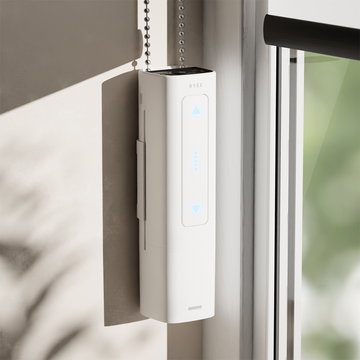
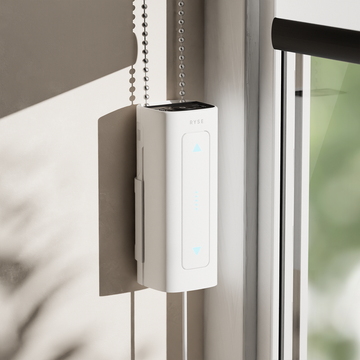
- The shade itself. Every SmartShade ($149.99) has UP, DOWN, and STOP buttons right on the device. No phone, no account, no setup.
- SmartButton ($49.99). One click opens, closes, or stops up to 4 SmartShades as a group.
- Remote Control ($99). Four channels, four shades per channel, for up to 16 shades from one handheld remote.
- Voice. With the SmartBridge connected to Alexa, Google Home, or HomeKit, anyone in the room can just ask.
In practice, most households end up mixing these. One person runs the schedules from the app, everyone else uses voice or the buttons, and nobody has to shout across the house.
Why This Matters for Renters and Shared Homes
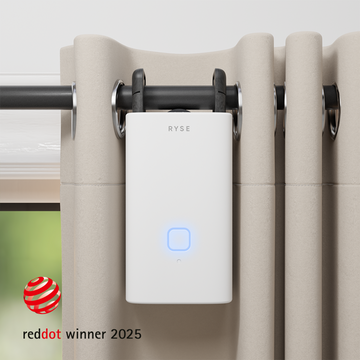
RYSE is a retrofit system. The SmartShade motorizes the beaded-chain shades you already have, and the SmartCurtain ($199.99) motorizes existing rod curtains. No drilling, no electrician, no replacing anything.
That matters in a shared apartment. You are not modifying a landlord's window treatments, and when a roommate moves out you remove them from the SmartBridge in the same app screen you added them in. When you move out, the hardware comes with you.
The Bottom Line
Everyone in your household can control your RYSE shades. With a SmartBridge, you invite them by email once and they get the same access from their own phone, plus voice, scheduling, and remote control. Without a bridge, pair each device to each phone individually and you get the same day-to-day control for the price of repeating the setup.
And for anyone who would rather not open an app at all, the buttons on the shade, a Remote Control, or a voice assistant all do the job.
One home. One set of shades. Everyone in control.
Share with your community!
In this article
Sign up for our newsletter
Latest from experts

The Daylight Handoff: How Smart Shades and Smart Lights Can Take Turns Through the Day

Your Shades, Your Rules: 12 Creative Ways to Automate RYSE With IFTTT
